Two photos. One snap. Instant dance partner.
Abra Kadabra Trend AI
You dance. You snap. Your friend appears. Add a photo of each of you and turn the Brazilian funk duo trend into a 12-second video. Your partner, your pet, or a second you gets the surprise entrance.
1. You · dance & snap
JPG, PNG or WebP · up to 10 MB each
2. Who appears?
JPG, PNG or WebP · up to 10 MB each
People or pets · 12 seconds · 9:16 · original song included
Your two photos go to our video provider for this render. Use photos you have permission to use.
Checking availability…
Add both photos. Photo 1 starts alone; Photo 2 appears.
See the surprise
From one dancer to two
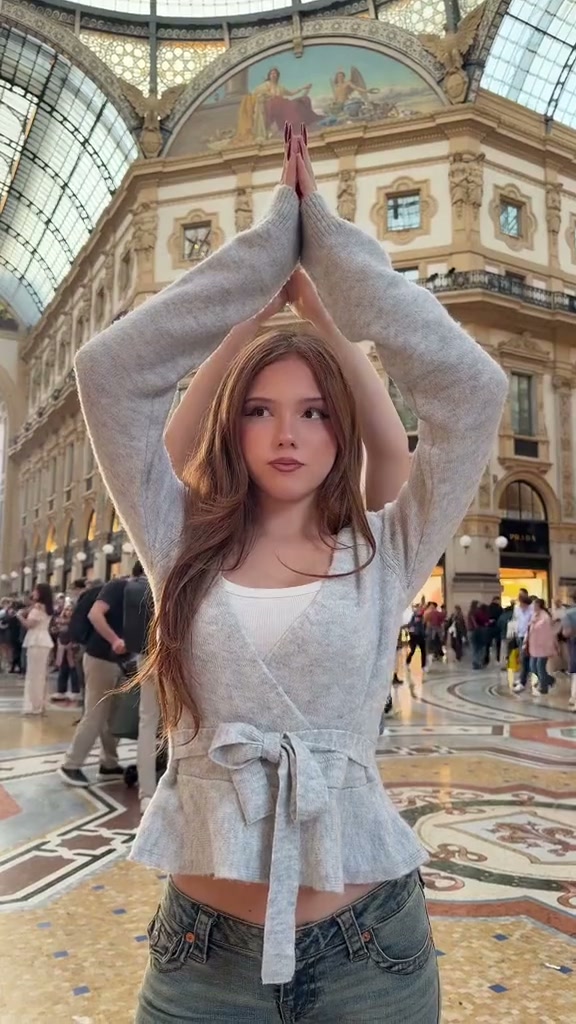
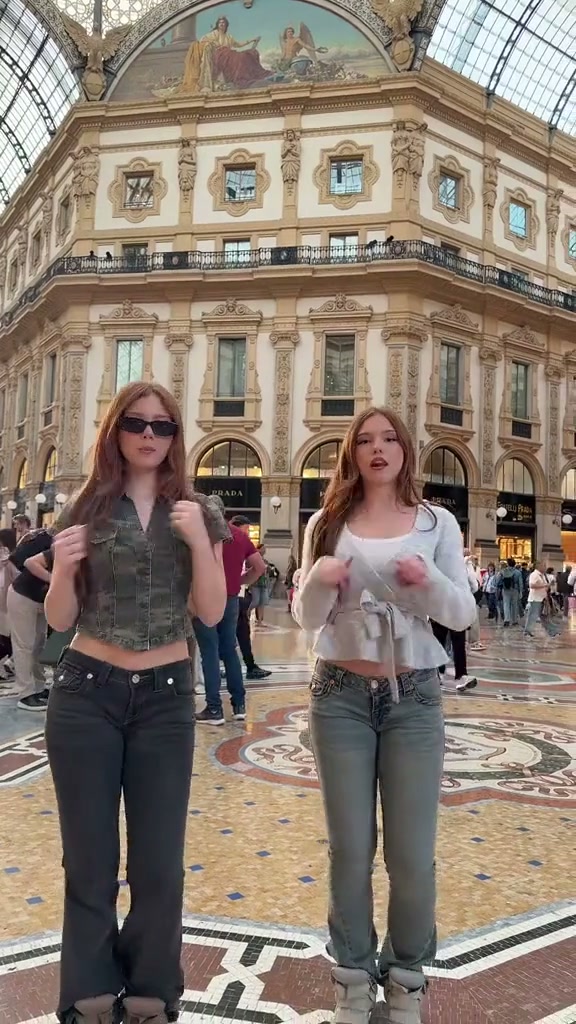
Two moments from the dance reference above. The original entrance shows the duo format; this template asks for the second dancer to appear on a snap.
Or make your pet the surprise.
The whole joke
An empty spot. A snap. Your favorite person.
The Abra Kadabra trend is a short duo dance built around a Brazilian funk hook. One person starts alone, leaving a suspiciously convenient space beside them. A second person joins on the beat, and suddenly the pair are dancing together. In snap versions, a raised hand and a quick finger snap turn that entrance into a magic trick. The surprise matters more than complicated choreography: a familiar face materializes exactly where a moment ago there was nobody.
You will also see the name written as Abrakadabra or Abra Cadabra. Some creators have a partner step into the frame; others cut directly from one dancer to two. Pet versions push the joke further by making a dog or cat join the routine. This template aims for the snap-and-appear version: a short solo, a clear reveal, then a few beats together. It is the Brazilian funk duo format, rather than the separate pop-song dance that also uses an Abracadabra title.
Your turn
How to make the snap-and-appear dance
Start with the two upload boxes above. In the first, add the person who dances alone and makes the snap. In the second, add whoever should appear beside them. These are two separate reference photos, with one person or pet clearly visible in each. The pictures can come from different places and different days. You do not need to meet up, film a rehearsal, find a tripod or make a perfectly timed cut in an editor.
Check the previews before generating. If you have assigned the roles backward, use Swap dancers to exchange them. If you sign in with Google, select both photos again when you return to this page. Sign in, review the current credit cost, and press Make my snap dance. The prepared instructions handle the solo, the reveal and the shared dance. Your request then moves through queued and rendering states in the tool. When it finishes, watch the video from beginning to end before saving it. Check who starts alone and who appears, as well as whether both faces remain recognizable.
Better photos, clearer punchline
Give both dancers a face and some floor space
A sharp, evenly lit photo gives the generator a clearer starting point than a heavily filtered selfie. Face the camera and keep the face unobstructed. A waist-up picture can work, but a full-body shot supplies more information about the outfit and proportions. Include relaxed arms and visible hands when possible. A snap needs a readable hand gesture, so sunglasses, a phone over the face or crossed arms introduce avoidable guesswork. Crop away unrelated people before uploading.
For a pet, show the face, ears and body together, with the coat pattern easy to see. A dog sitting on a clear floor or a cat standing in good light is more useful than a tiny face peeking out from a blanket. The instructions ask the model to preserve the pet’s whole animal body and use paw movements. AI can still invent fingers, change markings or lose detail during motion. If that happens, choose a clearer pet picture before spending credits on another take.
Cast the surprise
Friend, partner, pet, or your own twin
A long-distance friend makes an easy version of this joke: you start alone, and the friend who could not be there suddenly is. A couple can use the same setup for a playful birthday or anniversary message. Siblings bring a different kind of energy, especially when their clothes are easy to tell apart. Choose two photos with distinct outfits and clear faces so the generator has useful visual clues for keeping each dancer separate after the reveal.
For a twin version, put the same photo of yourself into both slots. The request asks for a second matching copy to appear on the right, while the first stays on the left. You can also use two different photos of yourself to give the second copy another outfit. For the pet version, keep yourself in Photo 1 and add your dog or cat as Photo 2. The setup stays the same; the unexpected dance partner supplies the punchline. Always use pictures you have permission to use.
Twelve seconds, three beats
What happens before and after the snap
The opening gives the joke room to breathe. For roughly the first three seconds, only the first dancer should be visible, on the left, with the other side empty. Around seconds three to four, a hand goes up and the snap triggers an instant appearance. The second subject is meant to arrive fully formed on that beat. The remaining seconds bring shoulder bounces, crossed-arm gestures and small side steps together, ending with both subjects facing the camera.
The template requests this order from your two photos; it does not paste your faces into the community examples shown here. Each render is a new interpretation. Timing can drift, a hand can blur, or the second dancer can enter more gradually than intended. Watch the reveal closely when reviewing a result. A smooth-looking clip with the wrong entrance is still worth noticing before you share. A completed take you decide to remake uses credits again, so check your input photos first.
The music is part of the joke
The original trend song is in your video
New videos include the original Brazilian funk recording heard in the Abra Kadabra dance reference. After the picture is generated, we add a fixed twelve-second song clip to the finished video. The file you download contains both the dance and the music, so you do not need to hunt for the sound or add it in another app. You can play the included excerpt below before starting a render. It is the sound from the duo trend, rather than a newly generated instrumental.
The video is marked ready only after the song has been added and the finished file has been saved. If that finishing step is interrupted, use Check status to try it again. The tool reuses the rendered picture, so retrying the music step does not make or charge for another AI video. Preview the result with sound before sharing: the requested snap lands around three seconds, but generated movement can drift from the beat. Earlier videos keep their previous audio; new generations use the included original-song clip.
Before you press generate
Check the cost, then follow your render
The tool shows the current credit cost before you submit. That figure comes from the same configuration used to charge the render, and uploading or swapping your photos does not start generation. After submission, return to this page while signed into the same account to find your latest task. Use Check status if your connection drops. A slow response does not prove that the request failed, so checking the existing task is more useful than immediately starting another paid render.
Confirmed failed or canceled renders return their credits to your balance. If the provider’s answer is uncertain, the tool keeps the task available for review and displays its ID for support. A successful video appears with a player and an Open / save video link. Download temporary provider links promptly; archived videos have a 30-day download period. Watch both faces, the hands and the entrance before posting. Keep the take that works for your joke, and save a local copy if you want to keep it.
A little help before the magic
Abra Kadabra Trend AI questions
How do I use Abra Kadabra Trend AI?
Add two separate photos: Photo 1 dances first and snaps; Photo 2 appears beside them. If you sign in with Google, select both photos again when you return to this page. Swap the roles if needed, sign in, check the cost, and press Make my snap dance. Preview the finished video here and use Open / save video to download it.
Can my friend and I use photos taken in different places?
Yes. You do not need a photo together. Upload one clear photo of each person, ideally waist-up or full body with the face visible. The template creates one shared scene from the two references.
Can I make the Abra Kadabra pet or twin version?
Yes. Put yourself in Photo 1 and your pet in Photo 2 for the surprise-pet version. For twins, use the same photo of yourself in both slots. The instructions ask the generator to keep two distinct subjects after the snap; results can vary.
How do I change who appears on the snap?
Use Swap dancers below the previews. Photo 1 is always the lead who starts alone; Photo 2 is the surprise partner. You can also replace either photo independently before starting a render.
Which files can I upload?
Use two JPG, PNG or WebP images, each up to 10 MB. Choose one clearly visible subject per photo, with even light and an unobstructed face. Convert HEIC files first. Full-body photos help the model keep clothing and proportions consistent.
Does my video include the original Abra Kadabra song?
Yes. New generations include a twelve-second excerpt of the original Brazilian funk recording from the dance reference. We add it after rendering, and the downloaded MP4 contains both the picture and the song. You do not need to add it in another app. Exact snap-to-beat timing can vary; earlier videos keep their previous audio.
How long is the video and what format do I get?
The template requests a 12-second vertical 9:16 MP4 at 720p, without a watermark. It starts with a solo, introduces the partner around seconds three to four, and finishes with both dancing. Fine visual details and dance timing can vary between renders; the included original-song clip stays the same.
How many credits does a video cost?
The current cost is 20 credits per render. Check the live price beside the generate button before submitting. Uploading or swapping photos does not spend credits. A new render of a completed video uses credits again.
What should I do if the render fails or looks stuck?
Use Check status before resubmitting. Confirmed failed or canceled tasks return their credits. If the outcome is uncertain, contact support with the task ID displayed in the tool; a lost connection does not mean the provider stopped rendering.
Where can I find and download my finished video?
Return to this page with the same signed-in account. Your latest result appears in the tool. Use Open / save video and your browser’s download controls. Save temporary provider links within 24 hours; archived videos are available for 30 days.
Keep the group chat busy
Try another video template
Cheba Man dance
Take a solo turn on the red party stage.
Try the templateFirestarter dance
Turn one full-body photo into a chorus dance.
Try the templateWhite Chicks car scene
Two photos, a committed singer, and one perfect side-eye.
Try the templateWho’s appearing when you snap?
Make my snap dance