Window Peeper AI: your midnight snack has an audience
Window Peeper, also known as Caught at the Window AI, turns one portrait into the burger-at-the-window meme. A camera creeps closer, you catch it watching, and one long stare says everything before the curtain shuts.
1 photo · 14 seconds · 9:16 · 720p
20 credits
Checking availability…
Use your own photo or one you have permission to animate. Your image is sent to the generation provider when you create a video.
Browsing and choosing a photo do not use credits. Video generation uses the price shown on the tool.
10-second reference from another creator. Your 14-second video recreates the scene with your photo.Watch the original post
From selfie to suspicious snack
1
Choose a clear portrait with one face and visible eyes.
2
Check the credit price, sign in and generate your video.
3
Watch the stare and curtain ending, then save your MP4.
Make the pause do the talking
What happens in the Window Peeper meme?
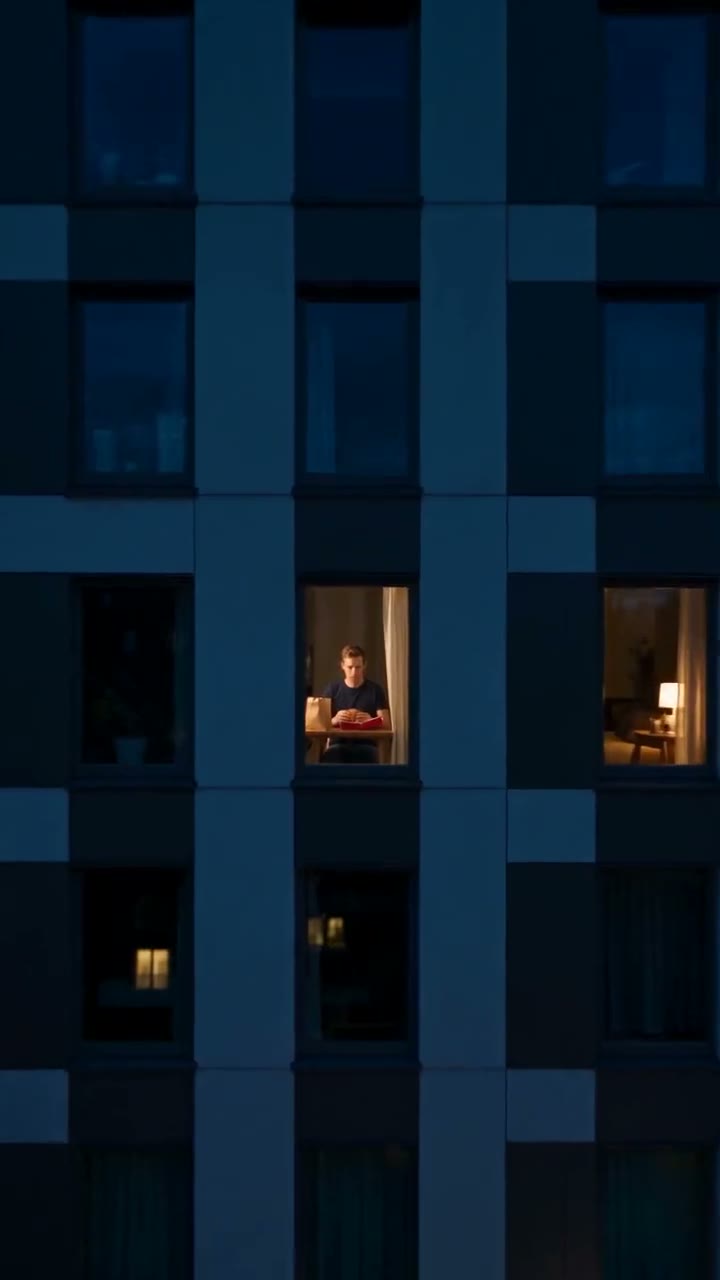
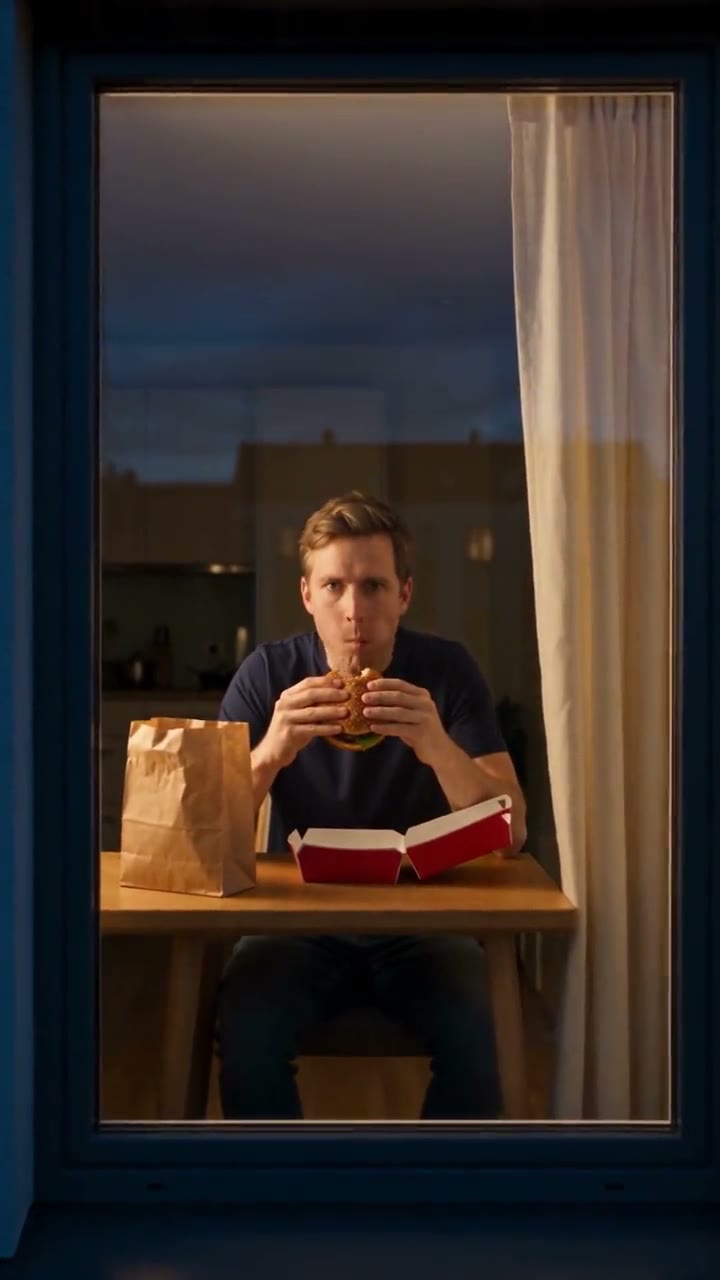
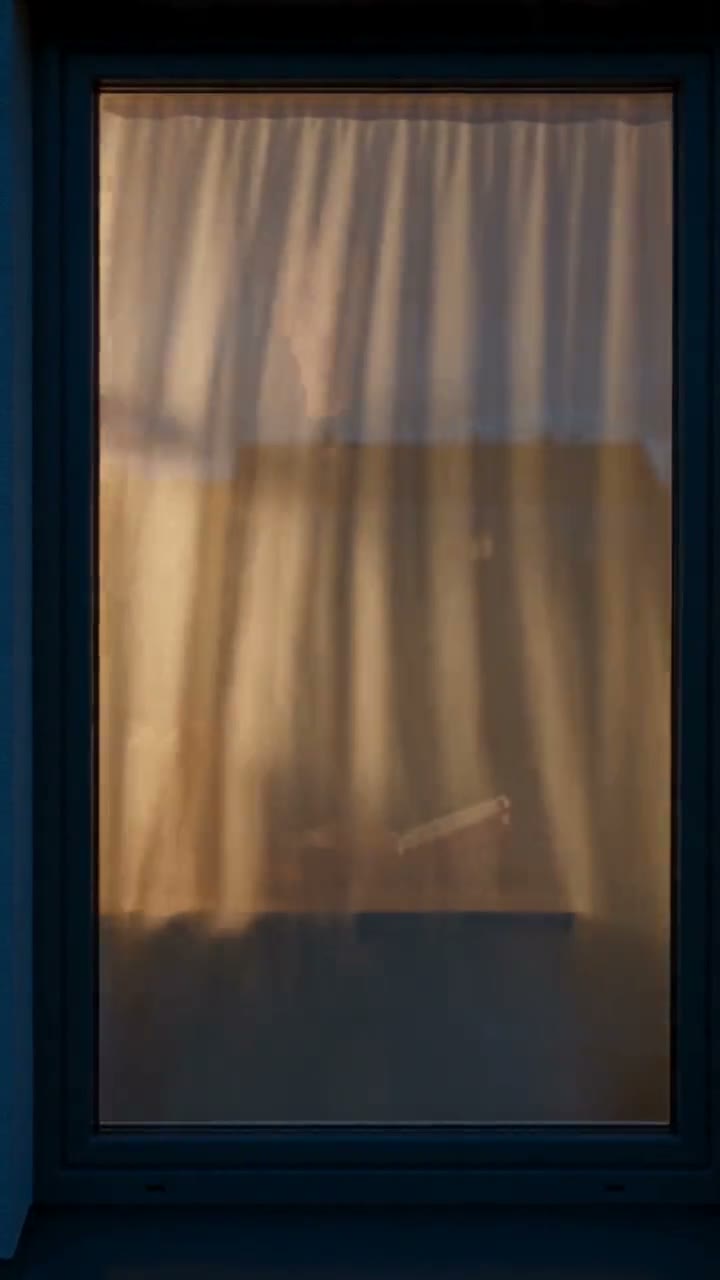
Window Peeper casts the viewer as the person looking through a window. A night shot approaches the only lit room in a dark building, where someone is eating a burger alone. The diner notices the lens and keeps looking back while slowly chewing. That stare lasts longer than a polite glance. Then the burger goes down, the person stands up and the curtain closes. Your portrait supplies the identity for a new performance of that sequence. The point is the awkward encounter between a very ordinary meal and a camera that has got too curious. The person in the room is the main character; the joke ends when they take the audience away. You do not need a real apartment, a real burger or footage filmed through somebody else’s window.
The Window Peeper sequence: approach, bite, stare, curtain
The recognizable part of Window Peeper is the order and the pause. The night building establishes distance, then the camera approaches one bright window. A burger appears before the diner reacts, giving the audience enough time to understand what they interrupted. The person then looks directly into the lens and holds that look while chewing. Only afterward do they lower the food, rise and pull the curtain across. Your video lasts fourteen seconds, including a few long seconds of staring straight at the camera. Each render is a new take, so exact timing can vary. Check that the curtain waits for the reaction instead of closing as soon as the face appears. The empty beat between being noticed and being shut out is what makes the meme recognizable.
Pick a photo that survives the close-up
The faraway building creates atmosphere, but the close-up carries the punchline. Choose a sharp portrait taken in even light, with the person facing roughly toward the camera. Keep both eyes visible and avoid a hand, phone, sunglasses or heavy fringe covering the face. A head-and-shoulders image is enough; you do not need to pose beside a window or hold a real burger. Use one person in the file so there is no ambiguity about who belongs in the apartment. Strong beauty filters, tiny faces in group shots and compressed screenshots make identity harder to maintain. If you are choosing between a flattering dark photo and a plain daylight portrait, the clearer portrait usually gives the model more useful information.
Upload first, then check the generation price
The upload control is at the top of the page, so you can choose a portrait before reading the guide. Choose a photo to preview it here; it is only sent to be made into a video when you press Generate. Sign in to use your account credits, review the amount displayed by the tool and press Generate once. Your chosen photo usually stays in place while you sign in. If it disappears, sign in first and choose the photo again. Check the price shown above before you create your video. Browsing the page and trying a different photo in the upload slot do not spend generation credits. If you make another video with the same photo, it uses credits again.
A burger, a straight face and an ordinary room
You do not have to perform a shocked reaction in the reference photo. The template asks for a normal diner who notices the camera and becomes mildly annoyed, which is funnier than a theatrical scream. The burger is plain and the room is invented, with warm interior light against the cool night outside. There is one person, one table and a curtain that can close across the window. Keeping the scene simple gives the model fewer competing actions to resolve. Your final video may vary in furniture, clothing detail and facial performance. Look for a recognizable face, a readable snack and a clean closing gesture. Those three elements matter more than matching the exact apartment decorations in somebody else's clip.
Sound, vertical framing and the ending
Your video is fourteen seconds long, vertical 9:16 and 720p. Listen for the night ambience, small eating sounds and the swish of the curtain; there is no dialogue or song. Each video looks and sounds a little different, and uses its own sounds rather than the recording from the original post. Watch the result once with sound and once muted to check that the visual joke still works. When adding a caption in your social editor, place the opening line over the building rather than across the diner's eyes. Leave the final curtain visible for a beat. Cutting away as the hand reaches for it removes the answer to the whole setup: the person decides the show is over.
Window Peeper AI filter or a new video?
Window Peeper posts are often described as a filter, but the name describes a repeatable video scene rather than a camera looking for real windows. Photo templates can put a chosen face into an existing edit. This page generates a new version from your portrait and a fixed sequence of actions. That means the room, camera movement and performance can differ from the reference clip, while the burger, direct stare and curtain remain the intended story. There is no live-camera mode, no requirement to film a neighbour and no need to upload a background video. You choose one clear portrait and let the template stage the scene. If you want the exact source edit or its exact recording, a newly generated performance should not be mistaken for that original footage.
Caption the situation, not the entire plot
The opening text only needs to establish what the diner hoped to keep private. Try a small confession such as being five minutes into your plan to stop ordering late-night food, or finally getting a quiet meal after a busy evening. Let the audience discover the stare instead of explaining the curtain ending before it happens. Keep the caption about yourself or someone who agreed to join the joke. You can add subtitles or a soundtrack after downloading, but neither is needed to understand the scene. The supplied reference demonstrates the format; it does not promise an identical performance. When posting, identify the clip as AI-generated using the platform's available controls and avoid presenting the invented apartment as real footage of a neighbour.
Review before you rerender
Start with the face at the window: does it remain recognizable when the camera gets close? Then check the hands around the burger, the stability of the window frame and the order of the reaction. If the face drifts, try a clearer front-facing portrait. If the curtain closes too early, a fresh generation may produce a better sequence, but it is a new paid attempt. If your connection drops, choose Check again to see whether your video is ready. It may still be on its way, so check before paying for another one. If generation fails, you get your credits back. Open your finished video here and save the MP4 within 24 hours, before the temporary link expires.
Making your window video
How do I make a Window Peeper video with my photo?
Choose one clear portrait and upload it above, then sign in and create your video. You don’t need to film the window scene yourself. When your video is ready, you can watch it here and save the MP4.
Do I need a burger photo or a window background for Window Peeper?
Just your portrait. You don’t need to hold a burger or pose by a window; the room and food are added to your video.
How long is my Window Peeper video, and is there sound?
Your video is 14 seconds long, vertical 9:16 and 720p, with ambient sound and no dialogue. If you want music, you can add it after downloading the video.
Can I try Window Peeper without spending credits?
You can watch the example and choose or change your photo for free. Making a video costs 20 credits. If generation fails, those credits go back to your account.
What should I do if generation appears stuck?
Click Check again to see whether your video is ready. It may still be on its way even if your connection drops. Check before making another video so you don’t pay twice.
How can I improve a face that looks wrong?
Try a clear photo taken from the front in good light. Keep your eyes visible and skip filters that change your face. A simple portrait works better than a blurry screenshot or a photo where your face is tiny.
Can I upload a friend or add two people?
You can use a friend’s photo if they’ve agreed to it. The video has one person, so upload a portrait with a single face. If you’re in a group photo, crop it first; you can’t put two people in this scene.
Where do I find and save my finished video?
Open your finished video here and save the MP4 to your phone or computer within 24 hours, before the temporary link expires. If you leave the page, sign in with the same account to find your video again.