One photo, three moments of movie magic
Choose your car
Use a clear picture of one car, with its roof, body and wheels in view. A toy model is welcome too. Pick the angle that shows the details you want people to recognize.
Make the reveal
Sign in, check the displayed credit cost and generate. The template supplies the train window, tunnel and road sequence, so you can focus on choosing a good photo.
Keep your favorite take
Watch the whole transition, download the MP4 and add your chosen sound in your editor. A caption outside the video can give friends a clue about which car inspired it.
What does the Toy Car to Real Car AI Video Generator make?
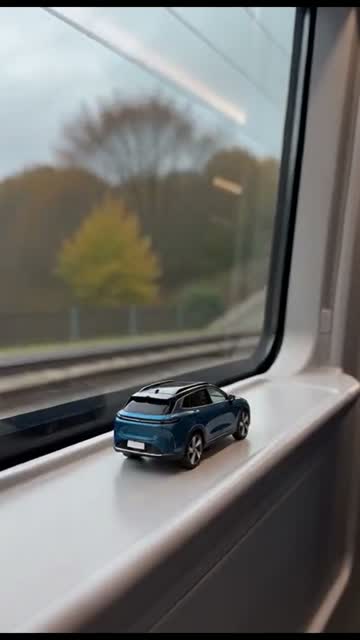
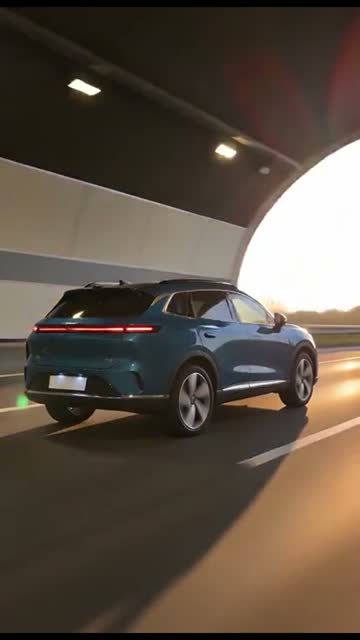
The fun starts with a change in perspective. A little car sits on the inside ledge of a passenger-train window, looking like something you could pick up with two fingers. Trees and trackside scenery slide past behind it. The train enters a tunnel, the window darkens and the car’s taillights catch your eye. As the camera moves forward, that narrow ledge gives way to a road. The car is suddenly full size, driving through the tunnel toward the evening light.
This toy car to real car AI video template brings that sequence to a photo of your own vehicle. A familiar hatchback can get the same cinematic treatment as a dream sports car. The contrast between an everyday subject and a dramatic reveal is the point: viewers recognize the car, then get a small visual surprise when its scale changes. The whole clip lasts ten seconds.
Real car or favorite miniature? Start with the one you care about
You do not need to own a physical toy to use this effect. A photograph of a full-size car gives the AI a reference for both the small model and the road-going version. A picture from a driveway, a quiet parking space or a car meet can work well when the vehicle is clear. If your favorite car lives on a shelf instead, photograph the miniature on a plain surface with soft light reaching the wheels and roof.
Give the car room inside the frame. A rear three-quarter view is particularly helpful because the reveal follows it from behind, while a front three-quarter view can show a distinctive grille and body shape. Choose one vehicle rather than a row of cars. Remove distracting packaging from a toy photo, and avoid hands covering the wheel arches. A sharp, uncluttered reference gives the interesting details a better chance to survive the change of scene.
Follow the journey from the window ledge to the road
00:00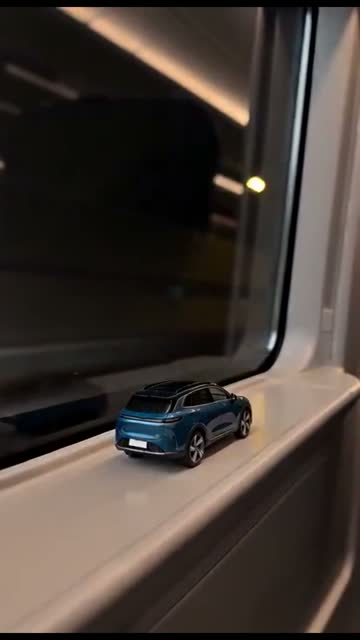 00:02
 00:0600:08
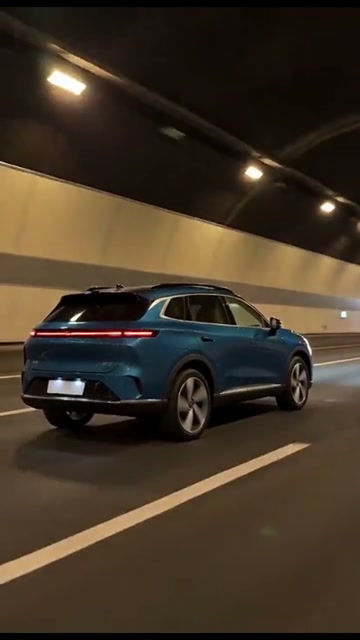
The four frames above show the rhythm of the selected reference. First comes the small car and the bright window. Then the tunnel lowers the light and draws attention to the rear lamps. The next view follows a full-size vehicle along the tunnel road. Finally, the camera stays behind the car as it leaves the tunnel and enters warmer evening light. Darkness gives the scale change a place to hide, making the reveal feel like one connected journey.
Your photo changes the vehicle that moves through this sequence. The template provides the camera direction and scene order; it asks the AI to use the uploaded car in both the miniature and full-size moments. You do not need to build separate opening and ending images or line up two clips yourself. When you review the result, watch the window frame and the road together: that handover is where this effect earns its surprise.
Give the car details worth recognizing
A car’s personality often comes from a few strong visual cues: a two-tone roof, a stripe across the bonnet, a squared-off rear or an unusual paint color. Those are useful details to bring into this toy car transition. Before uploading, look at the image at phone size. If you can still tell which car it is, without zooming into a tiny badge, the photo has a clear visual story. Soft daylight usually shows that story more clearly than a heavily filtered night picture.
AI can reinterpret small details, including wheels, lettering, reflections and the outline of the body. Compare the result with your source photo once, especially at the moment the car becomes full size. Treat it as a creative car clip rather than a technical rendering. If a particular detail matters most, choose a reference where it is easy to see. Clean composition helps more than surrounding the car with extra objects or text.
Turn a car memory into a short reveal
Start with a car that already means something to the person watching. Your first car, a family wagon or a small model saved from childhood gives the reveal a story beyond shiny paint. Send the finished clip alongside the original photo and ask a friend when they noticed the change. For a collector, the tiny opening is a natural way to introduce a favorite shelf model before imagining it at street scale.
A series can be fun too: the daily driver this week, the weekend project next time, then the miniature you always wished you could drive. Each new generation uses another photo and has its own credit cost. Keep the framing similar if you want the clips to sit together in a social feed. The fixed window-and-tunnel setting supplies a recurring visual theme, while each car contributes its own shape, color and personal connection.
Choose the sound after the reveal is ready
1 car photo · 10 seconds · Vertical 720p · Silent MP4
Your result is a vertical 720p MP4 with no audio track. That leaves room for the sound you want: a soft train rumble, a short engine note, a beat that lands as the window disappears, or simply silence. Preview your edit with the sound turned down as well. The scale change should be readable from the picture, and sound can then underline the moment instead of explaining it.
For TikTok, Reels or Shorts, keep the car clear of interface captions when you add your own text. A short title such as the nickname of your car can work better than covering the whole frame. MemeClip does not add a watermark. Download the file before you start editing, so you keep a copy of the take you like and can make several sound or caption versions from that same MP4.
Check the cost, then create your take
Each video costs 20 credits, shown beside the create button before you start. Sign in to use your balance and choose the car you want to bring into the scene. Making another version uses credits again; editing or sharing a downloaded MP4 does not require a new generation.
If generation is confirmed to have failed, its credits are returned. If your video is still processing or being checked, use Refresh status before trying again. A finished video that could not be saved can be recovered with the same button, without paying for another generation.
Keep your source photo and your finished copy in hand
Use a picture you own or have permission to upload. Before choosing it, take a quick look at the background as well as the car. A home address, a person standing nearby or a readable plate may be information you would rather leave out of a public post. Crop those details in your photo editor first, while keeping the whole vehicle visible. Your local photo draft lasts up to one hour on this device and helps carry the selection through sign-in.
The photo is sent for processing when you generate. Finished videos have a 30-day download period, so save a copy you want to keep. A result link can be opened by someone who has it; share it with that in mind. Our privacy policy has more detail about processing. For a lasting collection, keep the original photo and downloaded video together, with a clear label that the reveal is AI-generated.
Before your car takes the tunnel
Do I need a toy car, or can I photograph my real car?
Either works as a reference. Upload one clear photo of a real car or a miniature model. The template asks for that car in both the train-window opening and the full-size road reveal.
Does this make a video or a before-and-after image?
It makes a 10-second vertical 720p MP4. The miniature, tunnel transition and road scene are part of the same video.
What angle should I photograph?
Show the whole car, ideally from a rear or front three-quarter angle. Keep the wheels and roof visible, with one car in the picture and little clutter around it.
Will my car keep every detail?
The car in your photo guides the shape, paint, wheels and lights in the video. AI can still change details, so compare the finished clip with your photo before sharing.
Can I put a person or a pet in the car instead?
Choose a car photo for this effect. There is no option to add a driver or a pet. Mi Chico Dance, linked below, lets you animate a person or a pet instead.
Is it free, and what if it fails?
Generation uses the credits shown beside the create button. A confirmed failed generation returns its credits. If the request is still pending, refresh its status before sending another one.
Will the downloaded video have a watermark?
MemeClip does not add a watermark to your video.
Can I use the sound from the example?
The example is a third-party reference, and its audio is not part of your result. Your MP4 is silent so you can add a sound you are allowed to use in your editor or social app.
How long can I keep the result link?
Download your video within 30 days and keep the saved file. Anyone with the result link may be able to open it, so avoid sharing that link if you want to limit access.
Why is my photo still here after signing in?
A local draft can keep the selected photo on this device for up to one hour. It helps you return to your car photo after sign-in. You can remove or replace it in the uploader.